Radiator Screens for Wheat Chaff
Wheat chaff can pack into an ATV or UTV radiator surprisingly fast, especially during dry Kansas harvest conditions. A radiator screen helps catch debris before it blocks airflow, but it still needs the right fit, regular checks, and careful cleaning. This guide explains how to choose and use one, spot overheating early, and plan rides without mistaking farm ground for public trail access.
Why wheat chaff can overheat an ATV or UTV
How field debris reaches the radiator
A radiator needs steady airflow to carry heat away from the engine coolant. On many ATVs and UTVs, the radiator sits near the front, where it can collect airborne dust, grass, leaves, insects, and bits of crop residue. In a dry field or along a dusty route, those particles can stick to the radiator fins and gradually reduce airflow.
Wheat chaff is a particular nuisance because it is light enough to swirl around in the machine’s own air currents. It may gather at the grille, then mat against the radiator as the fan pulls air through. A rider can be moving along without realizing that the front of the machine is becoming a lint trap.
The risk is not limited to riding directly through a harvested field. A dry trail beside a field, a farm lane, a loading area, or a windy gravel road can carry plenty of fine debris. Kansas conditions can also change quickly: a route that seemed clear in the morning may be dusty and full of loose residue later in the day.
What restricted airflow looks like
A temperature warning light or gauge reading above its usual range is a clear reason to stop and investigate. Some machines may also show reduced power, run the cooling fan frequently, or release steam or coolant if they become very hot. Don’t wait for a warning light if you can see chaff packed across the radiator face.
A clogged radiator may not announce itself in an obvious way at first. The machine might run normally on a cool, open stretch and begin heating up later at low speed, on a climb, or while working hard. That’s because slow riding can mean less natural airflow through the radiator, leaving the cooling fan to do more of the work.
If the temperature rises, pull over somewhere safe and shut the machine down as its owner’s manual directs. Never open a hot radiator cap: pressurized coolant can cause severe burns. Let the machine cool before inspecting or cleaning it. If it continues to run hot after the radiator is clear, stop riding and check the manual or contact a qualified service professional.
A screen helps but does not replace inspection
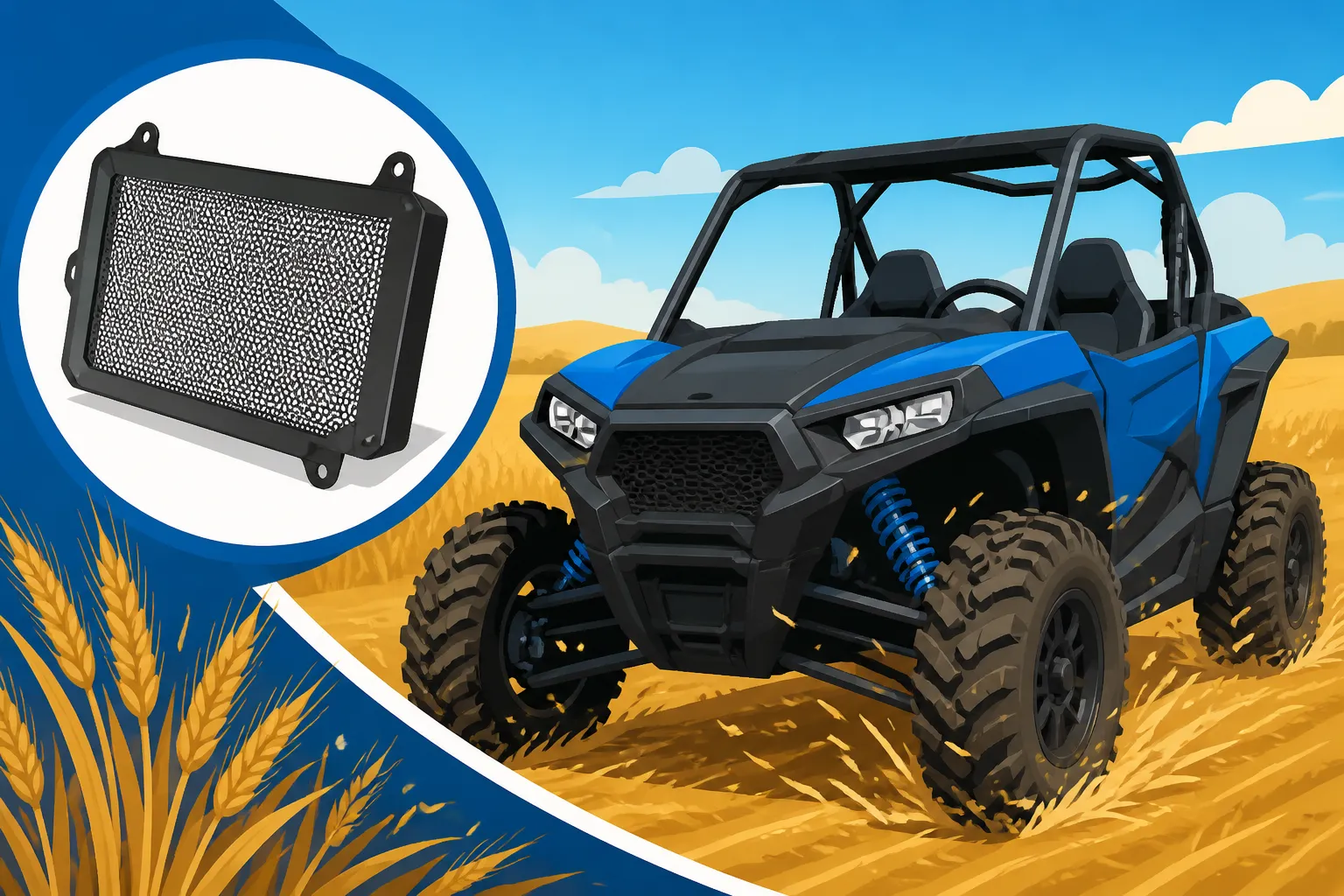
A radiator screen provides a first line of defense by catching larger material before it reaches the radiator fins. That can make cleanup quicker and help prevent chaff from becoming lodged deep between the fins. The screen itself, however, can also become clogged. A screen loaded with plant matter may restrict airflow even when the radiator behind it is clean.
That tradeoff matters most in dusty, debris-heavy conditions. A screen is not a fit-and-forget accessory, and it can’t guarantee that the radiator will stay clear. Check both the screen and the radiator during breaks, particularly after riding through dry vegetation or working near harvest activity.
For general trip planning, Kansas Trail Conditions Before You Tow can help you think through surface and weather conditions before heading out. A route’s location near crop ground does not make it an authorized place to ride, though; access permission is a separate question.
Choosing a radiator screen for Kansas riding
Match the screen to your machine
Start with the owner’s manual and the machine manufacturer’s guidance. Radiator openings, grille shapes, mounting points, and airflow requirements differ by model. A screen designed for a different ATV or UTV may not sit securely or cover the intended area, even if it looks close in size.
Look for a screen made for your specific machine, or one that can be mounted securely without interfering with the radiator, fan, hoses, wiring, or other components. The fit should be stable enough that vibration won’t loosen it or let debris slip around its edges. Avoid an installation that requires drilling or altering parts unless the manufacturer’s instructions allow it.
Mesh size involves a practical balance. A very fine screen can catch smaller particles, but it may clog faster and can reduce airflow when covered. A more open screen may allow more fine material through while being easier to clear. The right choice depends on the debris you expect, the design of the machine, and the manufacturer’s recommendations—not simply on which screen looks most protective.
| Screen consideration | What to check | Why it matters |
|---|---|---|
| Fit | Compatibility with your make and model | A poor fit can leave gaps or interfere with components |
| Mesh | Manufacturer guidance and expected debris | Fine mesh may catch more material but can clog faster |
| Mounting | Secure attachment and vibration resistance | A loose screen can shift, rattle, or come free |
| Access | Whether you can remove or clean it easily | Easy service makes frequent inspections more realistic |
| Airflow | Temperature behavior after installation | Any unusual rise in temperature deserves attention |
Consider how and where you ride
A machine used mostly on open, maintained trails may face different debris than one used for farm work or rides through dry grass. If your normal outings include dusty routes, chaff, or tall vegetation, a screen may be useful—but you’ll need to clean it more often. If you rarely encounter loose debris, a screen that is difficult to remove or clean may add unnecessary maintenance.
Kansas riders may also travel between very different conditions in a single outing: packed dirt, gravel, open prairie, wooded sections, and fields near harvest operations. Ask whether the screen is easy to check at the trailhead and whether you can carry the small tools needed to remove it if its mounting system requires them.
If you use onX Offroad to plan a route, it can help you review mapped routes and nearby land information before you leave. Treat map information as a planning aid rather than permission to cross a field or enter private ground. When access is unclear, confirm it with the landowner or the relevant land manager.
Avoid blocking airflow with an improvised fix
It can be tempting to attach window screen, fine fabric, foam, or another material over the grille. That may catch debris, but it can also obstruct airflow or loosen under vibration. Materials that are not intended for the machine can become damaged, contact hot or moving parts, or make routine inspections harder.
Use an accessory recommended for the machine or follow the manufacturer’s instructions for an approved screen. If you’re unsure whether a product is compatible, ask a dealer or qualified mechanic to check the fit and airflow considerations. Once installed, pay attention to the temperature gauge under normal riding conditions and compare it with the machine’s usual behavior.
Installing, checking, and cleaning the screen
Prepare before installation
Install the screen with the machine parked, switched off, and cool. Read the accessory instructions and the owner’s manual first. If the screen requires removing a grille or other bodywork, make sure you understand how those parts fit back into place and which fasteners belong where.
Before mounting anything, inspect the radiator area for existing dirt, bent fins, damaged hoses, or loose connections. A new screen won’t solve a cooling problem that already exists. Don’t press on the radiator fins while cleaning; they can bend easily, and bent fins may reduce airflow.
After installation, verify that the screen is secure and does not touch the fan or obstruct any moving part. Check that hoses and wiring remain clear. If a part does not fit as described, don’t force it into place. Recheck compatibility or get help rather than improvising a mount that could fail on the trail.
Make screen checks part of each ride
A quick visual check is worth building into your normal routine. Look through the grille at the start of a ride, then inspect the screen during breaks if you’ve traveled through dry vegetation, dusty fields, or chaff-heavy areas. A screen that looks clear from a distance may have a layer of fine material pressed against it, so look closely.
Here’s a practical routine:
- Park safely and switch off the machine.
- Let hot parts cool before reaching near the radiator.
- Check the screen for chaff, dust, leaves, and other buildup.
- Remove debris gently, following the screen and machine instructions.
- Look at the radiator face for material that passed through.
- Confirm the screen and grille are secure before riding again.
If you’re riding with a group, agree on a simple inspection stop before the day begins. One rider may notice a temperature warning on another machine, while the machine’s operator may be focused on the trail. A brief check at a safe stopping point is easier than diagnosing a cooling issue far from the trailer.
Clean carefully and know when to stop
Follow the machine manufacturer’s cleaning directions. In general, use a gentle approach and avoid blasting the radiator with high-pressure water from close range. Strong pressure can bend fins or drive debris deeper into the cooling area. Don’t clean a hot radiator, and avoid reaching into a fan area unless the machine is off and the fan cannot start unexpectedly.
Some screens can be removed for cleaning; others may be designed to stay in place. Use the accessory instructions rather than assuming every screen comes off the same way. Once the material is cleared, inspect the radiator and screen again. If chaff is lodged between fins, the fins are damaged, or the machine still shows a temperature problem, don’t keep riding in the hope it will clear itself.
For a machine that overheats repeatedly, clean airflow may not be the only issue. A cooling fan, coolant level, hose, thermostat, or other part may need inspection. Follow the manual’s troubleshooting guidance and have a professional examine the machine if the cause is not clear.
Plan routes with access, debris, and conditions in mind
Stay on authorized routes
A harvested field, farm lane, or tractor path may look like an easy place to ride, but it is not automatically open to recreational vehicles. Get permission before entering private ground, even if there are no visible crops or a gate is open. The land may be leased, planted, being used for farm work, or closed for reasons that are not obvious from the road.
Kansas riders looking for public and private options can review Kansas Private Off-Road Parks and Kansas Trails That Allow Side-by-Sides when comparing places to ride. Conditions and entry rules can vary by location, so check directly with the riding area before loading up. Kansas Landowner Permission Rules is also useful when a route crosses or borders private property.
If you use onX Offroad to check a route, zoom in on the area where the route approaches fields, farm roads, or property boundaries. A mapped line is not, by itself, proof that the route is open to your machine. Confirm the route’s status with the relevant land manager or property owner before riding.
Adjust your preparation to the season
Dry summer weather, harvest activity, and wind can all contribute to airborne debris. Before a ride, consider what the route passes through and whether recent conditions may have changed. A trail that was relatively clean after rain may become dusty again after several dry, windy days. At the same time, wet conditions can create their own problems, including mud that collects on the machine or a trail closure intended to prevent damage.
Check Kansas Riding in Summer Heat when planning a hot-weather outing, and use Kansas Trail Closures After Rain as a reminder to verify access and trail conditions before you leave. If the day is unusually dry and windy, build in more frequent stops to inspect the screen and keep an eye on temperature.
onX Offroad can be useful for organizing planned routes and identifying areas to investigate, but check current access and trail rules through the place that manages the route. That extra step helps prevent a frustrating arrival at a closed entrance or an accidental turn onto property where riding is not allowed.
Keep the machine and the route in view
A radiator screen is only one part of a reliable ride. Bring the basic supplies your machine’s manual recommends, know where the temperature warning appears, and make sure everyone in the group knows how to respond if a machine begins running hot. Don’t let a desire to finish a loop override a warning light or an unusual gauge reading.
Good trail behavior helps protect access, too. Keep to authorized routes, avoid disturbing farm activity, and leave gates as you found them when you have permission to travel through an area. Kansas Trail Etiquette Locals Expect offers useful reminders for sharing riding areas respectfully.
If your machine is used for farm work as well as recreational riding, keep those uses distinct when planning where to ride. Kansas Machines Used Only on a Farm may help clarify why the machine’s use and location matter. For a recreational outing, choose a route that is expressly open to your vehicle, then prepare for the actual conditions you expect to encounter.
Disclaimer
This article is for general informational purposes only and does not constitute professional advice. Laws, prices and regulations vary by location and change over time. Consult a qualified professional for guidance on your specific situation.